Memasang Widget di Wordpress.com | Tutorial Blog
Cara Memasang Widget di Wordpress.com | Tutorial Blog
Langsung saja Sob, berikut tutorialnya :
- Login ke Wordpess Anda, Klik Appearance > Widgets.
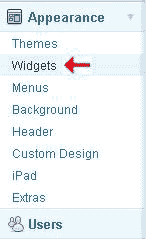
- Pilih Widget yang ingin Anda pasang, Drag ke Sidebar
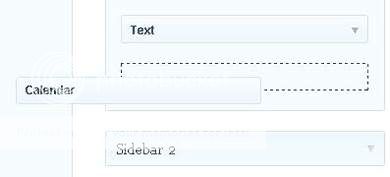
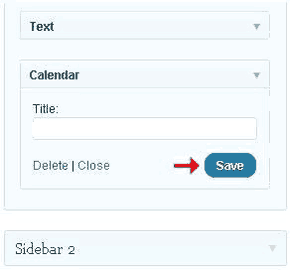
- Lalu Klik Save.
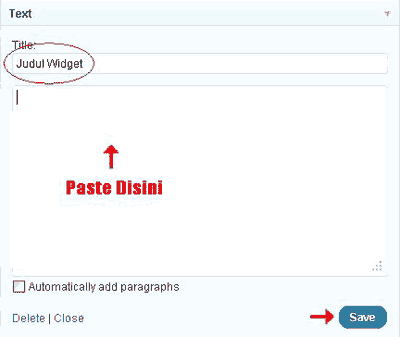
- Untuk memasang widget menggunakan kode HTML pilih Text.
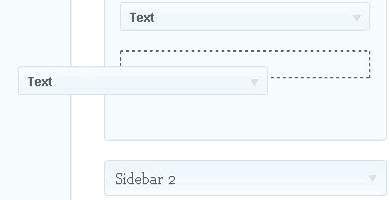
- Selanjutnya beri judul widget pada kolom Title, Paste kode Widget pada area Text, dan klik Save.
Selesai...
Artikel Yang Lain :


link sobat sudah terpasang di blog saya, keep posting ya.. thanx :)
ReplyDeleteOk Sob, Makasih...
ReplyDeleteThanks,
ReplyDeleteTapi bagaimana caranya jika kita ingin meletakan widget di daerah yang tidak disediakan oleh templete.
Thanks for the sharing...
ReplyDelete
ReplyDeletethanks infonya ea,,
ReplyDeletethanks infonya gan :)
penyebab dan pengobatan kanker payudara
ReplyDeletesalam kenal gan dan jangan lupa kunjungi juga web kami http://obatambevenatauwasir.blogspot.com/
ReplyDeleteWah makasih ya atas infonya, ternyata gitu to caranya masang...Itu untuk blogspot dan wordpress sama ya gan??
ReplyDeleteSalam kenal dari Pembicara Internet Marketing Bandung ya..
Pembelian obat denature bisa invite pin bbm kami : 7968ab6b
ReplyDeleteFBDA5590E5
ReplyDeleteTakipçi Satın Al
Fal Baktır
YT Ücretsiz Abone
En İyi Filmler
Cami Şamdanları
Viski Fiyatları
SEO Ajansı
Offshore Hosting
Online Oyunlar